In this section
Monitor types
What each check does, and which run end-to-end today.
Creating monitors
Fill in the form: URL, request options, assertions, regions, intervals.
Dependencies
Silence symptom alerts when an upstream monitor is already down.
Maintenance windows
Plan downtime so it doesn’t open incidents.
Settings every monitor shares
Whatever the type, each monitor carries the same core settings:- Regions it checks from. Pick at least three so an incident needs agreement across locations, not one bad data point.
- Interval between checks, from 30 seconds up. The probers run about once a minute, so 60s is the practical floor.
- Consensus, how many regions (the quorum) must agree the check is down before an incident opens. The default is two. Confirmation is across regions in the same probe round, not across time, so a real multi-region outage opens in about a minute. See Incidents.
- Status,
activeorpaused. A paused monitor keeps its history but stops checking and never alerts.
On the monitor page
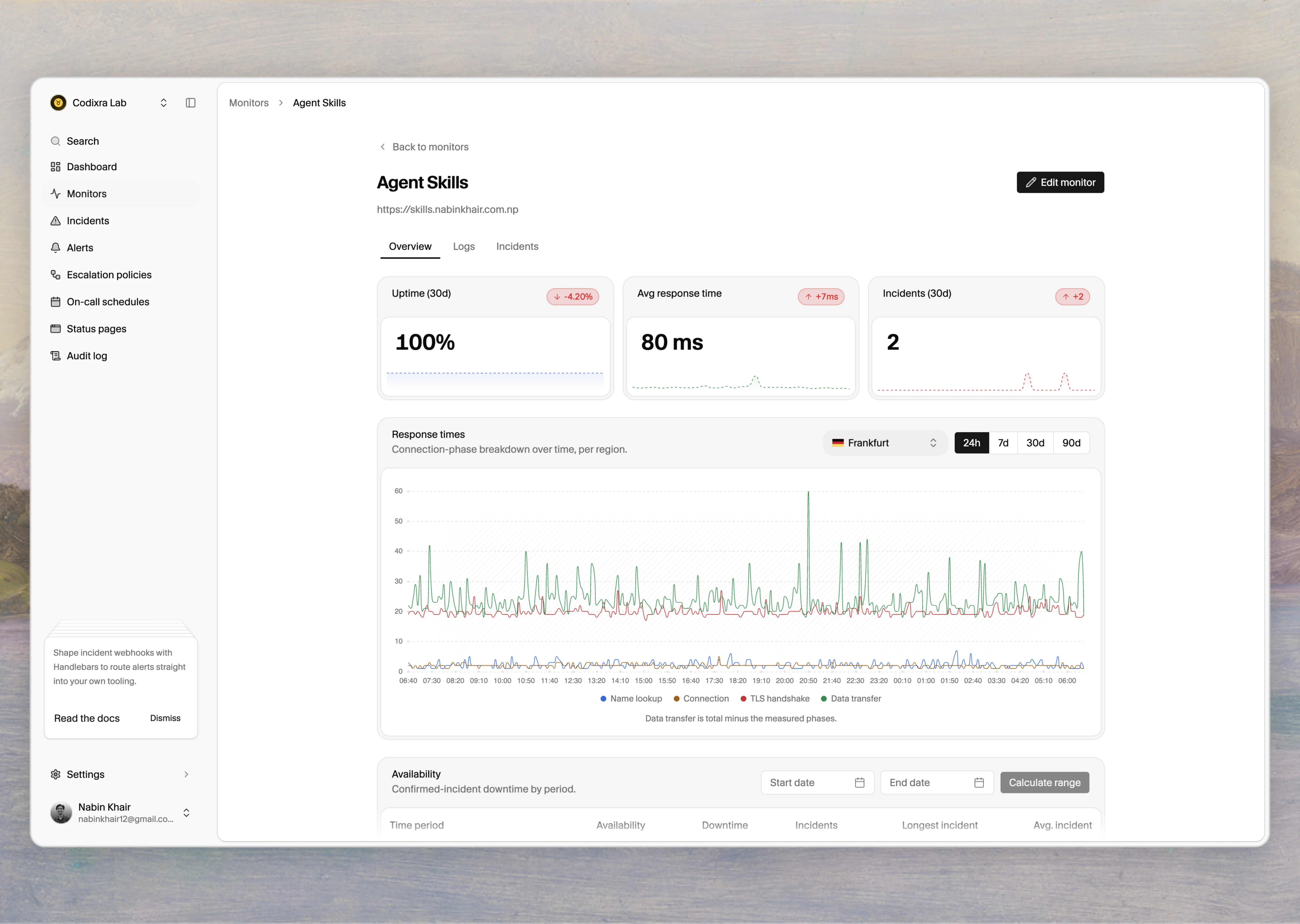
Open a monitor to see how it’s been doing:- A response-time chart over your chosen range, with the line split by region, so a slow check shows you where it was slow and from where. HTTP monitors can show a per-phase breakdown: DNS, connection, TLS handshake, and data transfer.
- An availability table with Today, the last 7, 30, and 365 days, all-time, and a custom range. Availability is computed from confirmed-incident downtime,
(monitored time − downtime) ÷ monitored time, and each window is clamped to when you created the monitor, so it never credits time before the monitor existed. - The monitor’s incident history, so you can jump from a dip in the chart to the incident that explains it.